How to run a weekly YouTube series on autopilot
Series in AutoVideoStudio take a queue of topics and a cadence — daily, three times a week or weekly. On schedule, the next topic becomes a new video with the same format, brand kit and settings, and each episode gets a different storytelling angle (a surprising number, one person's story, a mystery, then vs now, myth vs fact) so the channel doesn't look mass-produced. Upload stays manual for now.
Last updated 1 November 2026 · by Venu Gopal Reddy Muvva, founder
Who this is for
Faceless channels and agencies that publish on a fixed schedule and want the next episode ready before the slot.
Steps
- 1. Create a free account
Sign up with your name, email and a password. No card. Your first 3 months are free with every feature unlocked, and onboarding makes a 1-minute sample video straight away so you see the whole pipeline.
- 2. Make one video you like
Get the format, length, brand kit and caption style right on a single video first.
- 3. Set up the series
On Series autopilot, add topics one per line and choose daily, 3× a week or weekly. The series uses the format and brand kit you set.
- 4. Fix what the fact-check flags
Every sentence with a number or a name is matched to its source. If a number is wrong or a claim isn't in the sources, the video pauses. Edit the line, or confirm you checked it, and the render continues.
- 5. Review the scenes
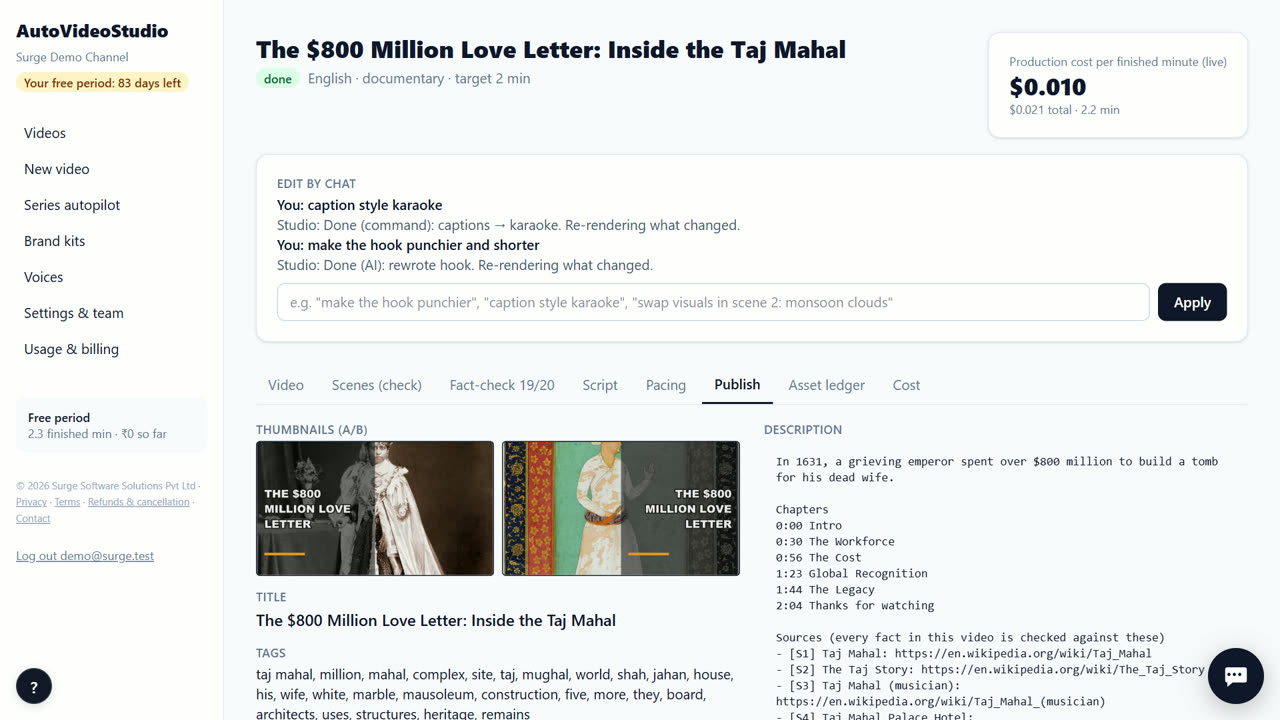
Every shot shows a relevance score against its narration. Swap a weak shot, re-search a scene, upload your own clip, or type a change such as “caption style karaoke”. Only what changed re-renders.
- 6. Download and post
Download the 720p MP4, the vertical Shorts, two thumbnails, and the title, description (with chapters, sources and credits) and tags. Upload them to your channel yourself — direct upload is coming soon.
Tips
- Still check each episode's fact-check before posting — autopilot makes it, you publish it.
- Keep 4–6 topics in the queue so a slow week never leaves a gap.
- After the free period, a wallet that can't cover the next episode skips that run and retries the next day — top up to keep the schedule.
- Automatic YouTube upload is coming soon; today you download and upload.
When AutoVideoStudio is not the right tool
AutoVideoStudio is not the right tool for fully hands-off posting today: series make the videos on schedule, but uploading to YouTube is still yours. YouTube also expects real value in each video, so review episodes rather than posting blind.
Questions
Is series autopilot finished?
It is in beta: it makes videos on schedule; automatic upload is coming soon.
Will the episodes all sound the same?
Each episode gets a different storytelling angle from a fixed rotation.
What happens if my wallet is empty?
That run is skipped and retried the next day; the topic stays in the queue.
What does it cost?
Nothing for your first 3 months. After that you pay only for what you use, at our cost — about ₹0.25 per finished minute (est.), so a 10-minute video is about ₹2.50. No subscription.
Free for your first 3 months. Then pay only for what you use.
Start free — 3 months on usRelated: How an agency can make videos for several channels · How to make a Top 10 YouTube video with AI · AutoVideoStudio vs VidRush · Pricing