How to make a history documentary video with AI
Pick the documentary format in AutoVideoStudio, type the subject — a temple, a battle, an empire — and set the length. It reads the main Wikipedia articles, writes a narrated script where every scene cites its source, checks every date, number and name against those sources, and illustrates it with public-domain and Creative Commons images and footage from Wikimedia Commons, with slow camera moves, captions and chapters.
Last updated 1 November 2026 · by Venu Gopal Reddy Muvva, founder
Who this is for
History, heritage and culture channels, and teachers who explain historical topics, who need dates and numbers to be right.
Steps
- 1. Create a free account
Sign up with your name, email and a password. No card. Your first 3 months are free with every feature unlocked, and onboarding makes a 1-minute sample video straight away so you see the whole pipeline.
- 2. Write the brief
On New video, type the topic in one line and pick the format (documentary) and the length (8–20 minutes suits most history topics). Choose 16:9 for YouTube or 9:16 for Shorts, and add the audience and tone if you want.
- 3. Let it research and write
We read the top Wikipedia articles for your topic and number them S1, S2, S3… The script is written by our own AI on Surge's servers, and every scene lists the sources it uses.
- 4. Fix what the fact-check flags
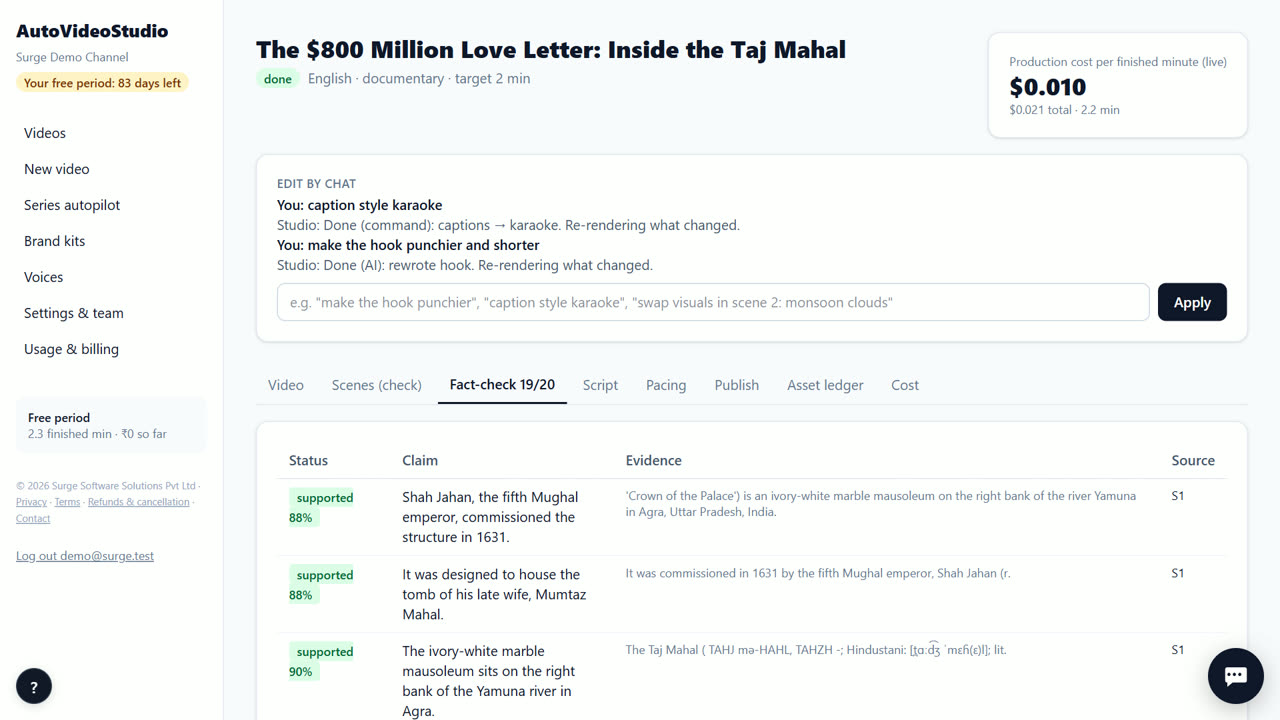
Every sentence with a number or a name is matched to its source. If a number is wrong or a claim isn't in the sources, the video pauses. Edit the line, or confirm you checked it, and the render continues.
- 5. Add your voice
Upload your own recorded narration on the video page and it is cut to the script at the natural pauses. For a draft, keep the free placeholder voice (it sounds robotic). Natural AI voices are coming soon.
- 6. Review the scenes
Every shot shows a relevance score against its narration. Swap a weak shot, re-search a scene, upload your own clip, or type a change such as “caption style karaoke”. Only what changed re-renders.
- 7. Download and post
Download the 720p MP4, the vertical Shorts, two thumbnails, and the title, description (with chapters, sources and credits) and tags. Upload them to your channel yourself — direct upload is coming soon.
Tips
- History topics have many numbers. Expect the fact-check to flag a few lines; that's the point — fix them before you publish.
- Old paintings, maps and photos on Commons are often public domain. Credits for CC BY files are written into your description.
- Chapters are made from the script's sections, so viewers can jump to a period.
- Series autopilot (beta) can make one episode a week from a list of topics, each told from a different angle.
When AutoVideoStudio is not the right tool
AutoVideoStudio is not the right tool if you need archival news footage or licensed film clips — it only uses public-domain and Creative Commons media plus your uploads. It also writes from Wikipedia, so it won't replace original archive research for a scholarly film.
Questions
What if a date in the script is wrong?
If it doesn't match the cited source, the fact-check pauses the render and shows you the line and the source text.
Can I add my own sources?
Research starts from Wikipedia. You can edit the script yourself; edited lines are checked again.
Will old paintings get a copyright claim?
We only use files whose licence allows commercial reuse, and the asset ledger lists each file's licence and link.
What does it cost?
Nothing for your first 3 months. After that you pay only for what you use, at our cost — about ₹0.25 per finished minute (est.), so a 10-minute video is about ₹2.50. No subscription.
Free for your first 3 months. Then pay only for what you use.
Start free — 3 months on usRelated: How to make AI videos that don't invent facts · How to make a YouTube video with copyright-safe footage · AutoVideoStudio vs VidRush · Pricing