How to make a Top 10 YouTube video with AI
Choose the Top-10 format in AutoVideoStudio and type the list topic, such as “10 rivers that built India”. It researches the topic, writes a countdown script where each entry cites its source, checks the numbers, and edits it with quick cuts, captions and a music bed. You get the video, two thumbnails, chapters for each entry and Shorts cut from the strongest moments.
Last updated 1 November 2026 · by Venu Gopal Reddy Muvva, founder
Who this is for
List and countdown channels, and anyone who wants a quick, structured video that keeps viewers watching to number one.
Steps
- 1. Create a free account
Sign up with your name, email and a password. No card. Your first 3 months are free with every feature unlocked, and onboarding makes a 1-minute sample video straight away so you see the whole pipeline.
- 2. Write the brief
On New video, type the topic in one line and pick the format (Top-10) and the length (6–12 minutes keeps a list moving). Choose 16:9 for YouTube or 9:16 for Shorts, and add the audience and tone if you want.
- 3. Let it research and write
We read the top Wikipedia articles for your topic and number them S1, S2, S3… The script is written by our own AI on Surge's servers, and every scene lists the sources it uses.
- 4. Fix what the fact-check flags
Every sentence with a number or a name is matched to its source. If a number is wrong or a claim isn't in the sources, the video pauses. Edit the line, or confirm you checked it, and the render continues.
- 5. Add your voice
Upload your own recorded narration on the video page and it is cut to the script at the natural pauses. For a draft, keep the free placeholder voice (it sounds robotic). Natural AI voices are coming soon.
- 6. Review the scenes
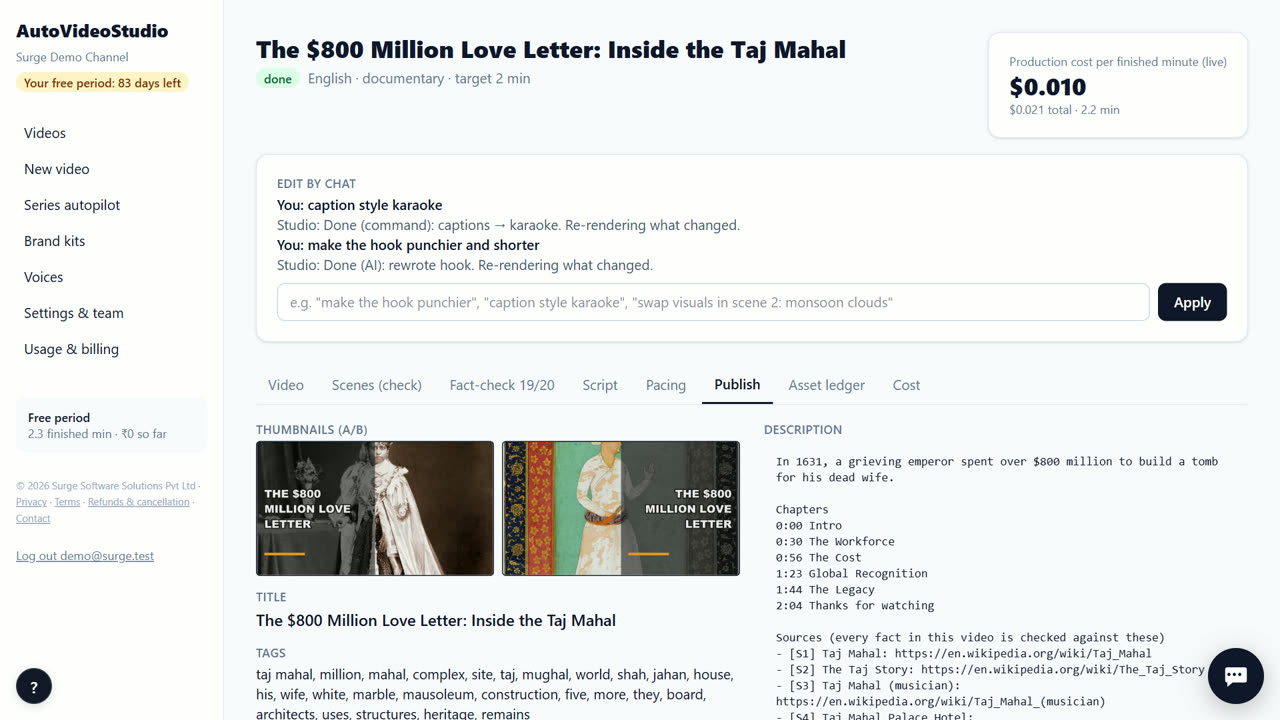
Every shot shows a relevance score against its narration. Swap a weak shot, re-search a scene, upload your own clip, or type a change such as “caption style karaoke”. Only what changed re-renders.
- 7. Download and post
Download the 720p MP4, the vertical Shorts, two thumbnails, and the title, description (with chapters, sources and credits) and tags. Upload them to your channel yourself — direct upload is coming soon.
Tips
- Lists of real things (rivers, forts, scientists) research better than opinion lists (“best movies”).
- Each entry becomes a chapter, which helps viewers and search.
- The edit is paced for retention: short cuts in the first 30 seconds and a change of scene at least every 20 seconds.
- Post one Short per entry to point people to the full list.
When AutoVideoStudio is not the right tool
AutoVideoStudio is not the right tool for rankings that need opinions, reviews or live data (prices, sports results) — the script sticks to what its sources say. It also can't use movie clips or trailers, which aren't licensed for reuse.
Questions
Can I change the order of the list?
Edit the script in the Script tab; the video re-renders only what changed.
Does it make a thumbnail?
Yes, two thumbnails (A and B) so you can test which gets more clicks.
Can I use a natural AI voice?
Not yet. Today you upload your own narration or use the free robotic placeholder voice for drafts. Natural AI voices are coming soon.
What does it cost?
Nothing for your first 3 months. After that you pay only for what you use, at our cost — about ₹0.25 per finished minute (est.), so a 10-minute video is about ₹2.50. No subscription.
Free for your first 3 months. Then pay only for what you use.
Start free — 3 months on usRelated: How to make a faceless YouTube video from a topic · How to get YouTube Shorts from every long video · AutoVideoStudio vs InVideo AI · Pricing